
Sign a PDF, free
How it works
1. Upload your PDF
Log in with your Livalos account or create a free one. Then upload your PDF.
2. Mark who signs where
Add the signers and put their signature in the right place. Need initials on every page? Just tick the box.
3. Everyone signs
Each signer gets an e-mail and signs on a computer or phone. At the end everyone receives the signed PDF, with an audit trail of who signed when.
With an audit trail
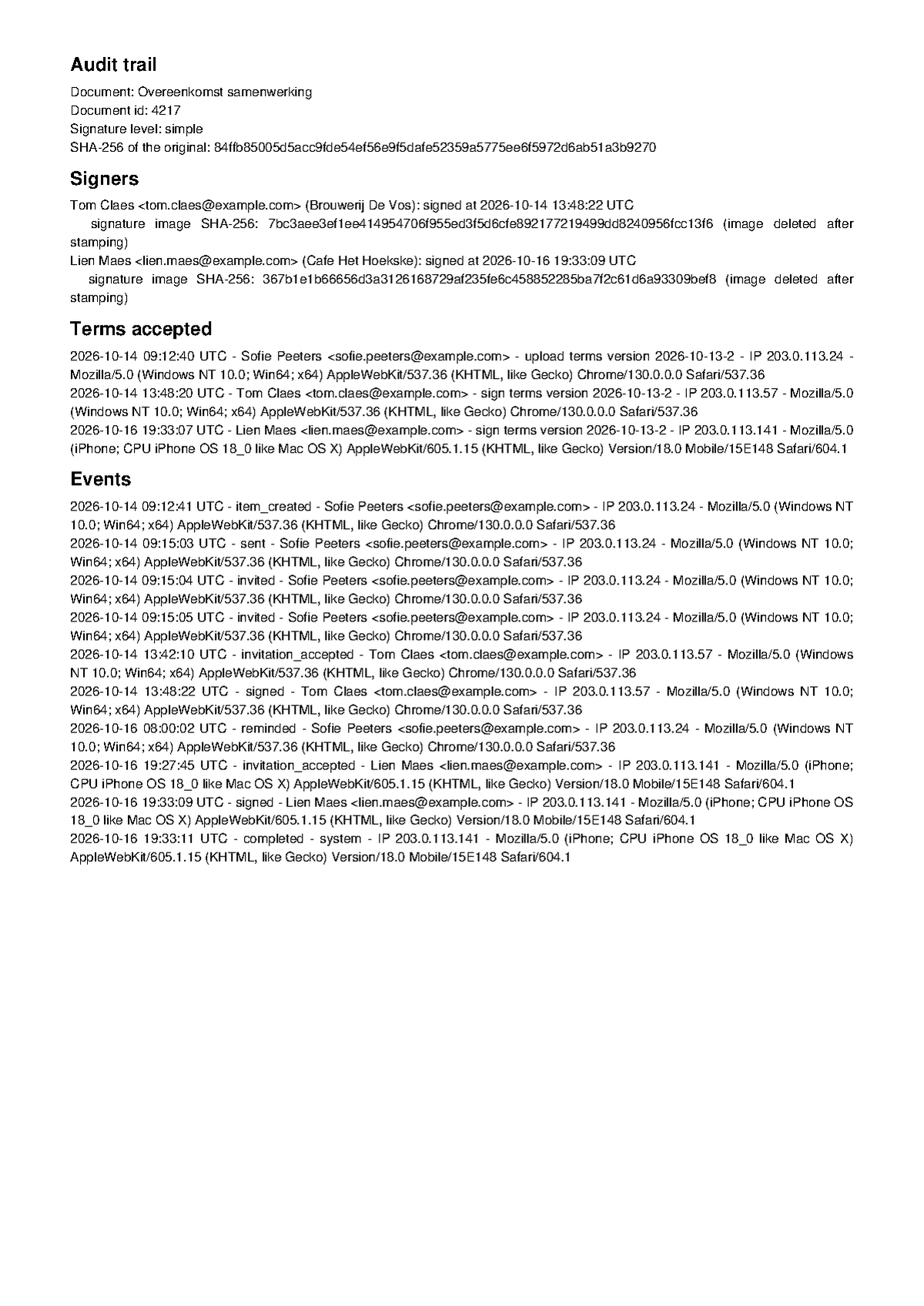
Every signed document gets one extra page at the end: the audit trail. It shows who sent the document, who it went to, when everyone opened and signed it, and from which IP address.
It also holds a fingerprint (SHA-256) of the original document. That way you can show later that nothing changed after it was sent.
Times on the audit trail are in UTC.
What happens to your document
We only use your document to have it signed by the people you choose. Nobody else gets to see it.
A signature or initials you draw or upload are wiped as soon as they have been placed. What remains is the signature in the signed document.
90 days after upload your document is automatically and irrevocably deleted from our server, with all versions and the signed result. So download your signed copy in time. What still exists after that is our backup, which goes back 12 months.
What it costs
Nothing. You can have 5 documents signed for free every month.
It is a simple electronic signature with an audit trail, not a qualified signature such as itsme.
Need more than 5 documents a month? That will be possible soon.
Something to get signed?
A free tool by Livalos. See all free tools.